Go from start to finish in no time
For when you don’t care about the details. Tell Relay what you want done and it’ll create missions on its own to accomplish your request.
Relay works through your browser to find opportunities, move work forward, and keep watch while you’re elsewhere. As a result, you’re earlier, better prepared, and capable of more than people expect.
Problem
You often know what you should do. The problem is that acting on every opportunity, following everything up, and keeping watch over ongoing work still requires you to be personally present in where it gets done. Your browser.
Eventually, your time—not your ability or ambition—becomes the constraint.

Our solution
You decide what to hand off and Relay handles the searching, applying, checking and follow-up, bringing you in only when your judgment is needed.
You save the time, move sooner, pursue more opportunities and stay ahead of people still doing everything themselves.
Use cases
Relay works in the browser you already use, signed in as you. So the things it can take on are the ones that were never automatable before—the ones behind a login, that need doing again next month.
It fills in the long forms. Every field, the dropdowns, the file attached, then submit — for the twentieth one as carefully as the first.
 Chrome
It watches, so you don’t have to keep looking. You tell it what to keep an eye on and how often; it goes away and tells you when that thing actually changes.
Chrome
Downloaded, renamed, filed. It works down the list, downloads each document, names them by a rule you gave it and puts them all in one folder.
Chrome
The answer as a file, not a tab. It reads the figures out of the table and leaves a document on your Desktop — nothing to come back to and copy out.
Chrome
The part that takes an afternoon. Relay works down the listings and brings back the fields you asked for, as a table rather than thirty open tabs.
Chrome
Several sites, one answer. It reads each one in turn and comes back with the summary — not with the links.
Chrome
As well as being able to click, type and perform other standard actions we’ve also gone the extra mile and invested in producing a harness capable of mirroring human actions 1:1.
This means our harness can also highlight, draw, drag among other innovative capabilities.
And because it works the page rather than taking it over, you don’t have to stand back while it does. Switch on co-work mode and Relay keeps going on the very same page you’re using—you carry on typing, scrolling and editing alongside it, both of you at once.
It highlights by dragging. Relay presses at the start of the sentence and drags to the end — the same selection your hand would make.
 Dia
Dia
It drags objects, not just clicks them. Relay picks an item up out of one list and carries it into another.
Chrome
It draws. A freehand stroke, put down the way you would put it down — not a shape dropped onto the page.
Chrome
You can keep using the page while it works. Relay fills in the name and the phone number; the delivery note is being typed at the same moment. Neither of you takes the keyboard off the other.
Chrome
It carries on in a tab you’re not looking at. Switch back to what you were reading. Relay keeps going, and the answer is waiting when you return.
Chrome
And it isn’t only Chromium. The same drag-to-highlight in Safari — a different engine that shares none of the same plumbing underneath.
 Safari
Relay runs inside the browser you already have open, with your logins, your tabs and your extensions exactly as you left them. There is nothing to move across and no separate agent browser to keep in sync.
It doesn’t need the screen to itself either. Relay can work in a window you’ve minimised or a tab you aren’t looking at, moving between tabs to pull together whatever a job needs—all without moving your pointer or taking focus from what you’re doing. You look over when it asks you something, or when it’s finished.
Supported
 Chrome
 Dia
Dia
 Arc
Arc
 Brave
Brave
 Safari
…and any other Chromium browser.
Coming soon
 Firefox
Give Relay an instruction and watch it execute it from start to finish, asking you when its unsure and letting you know when its finished.
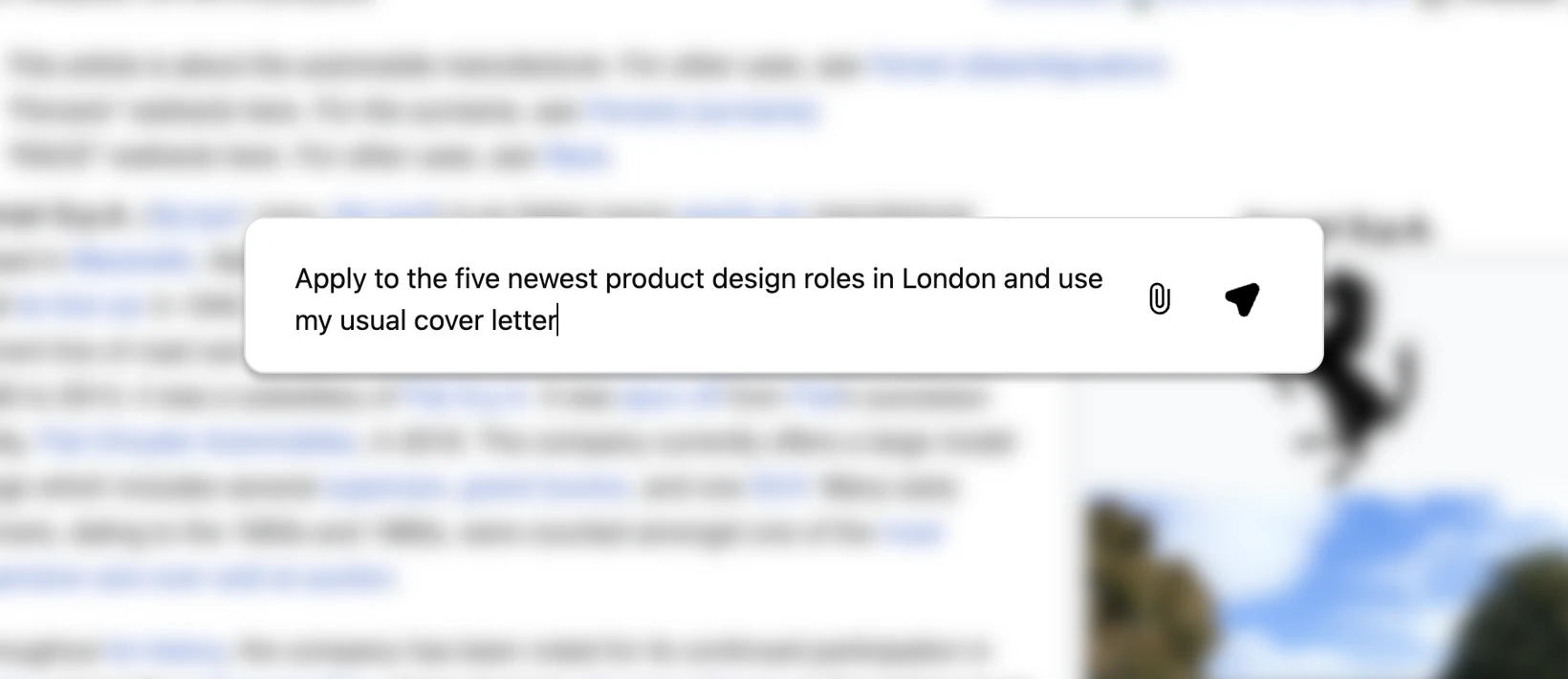
For when you don’t care about the details. Tell Relay what you want done and it’ll create missions on its own to accomplish your request.
Hand over something ongoing and Relay keeps it moving on its own—checking, drafting and following up—and comes back to you only when a decision is actually yours to make.
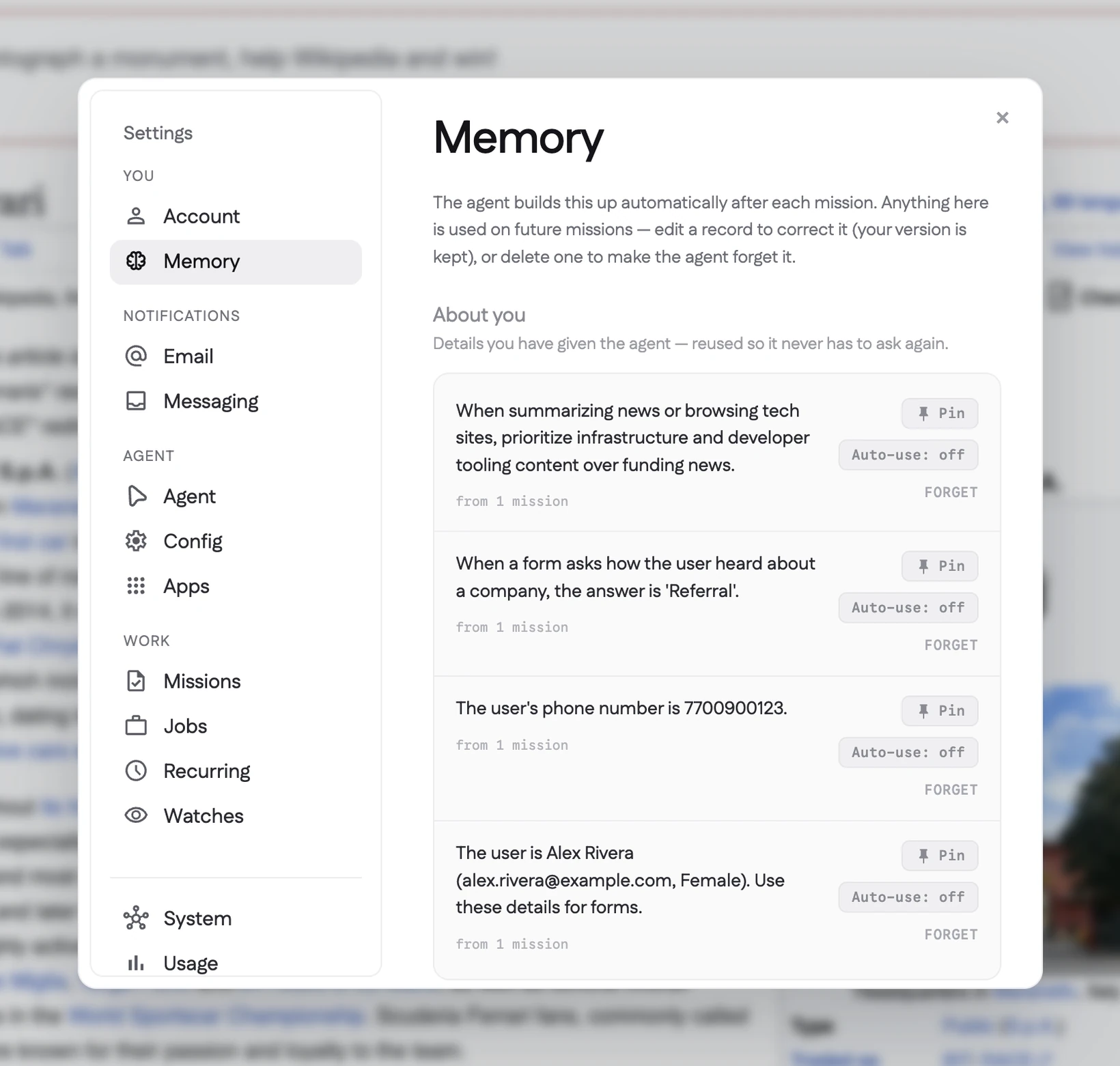
The more you use Relay the more it learns about you and how you work and the less it has to ask.
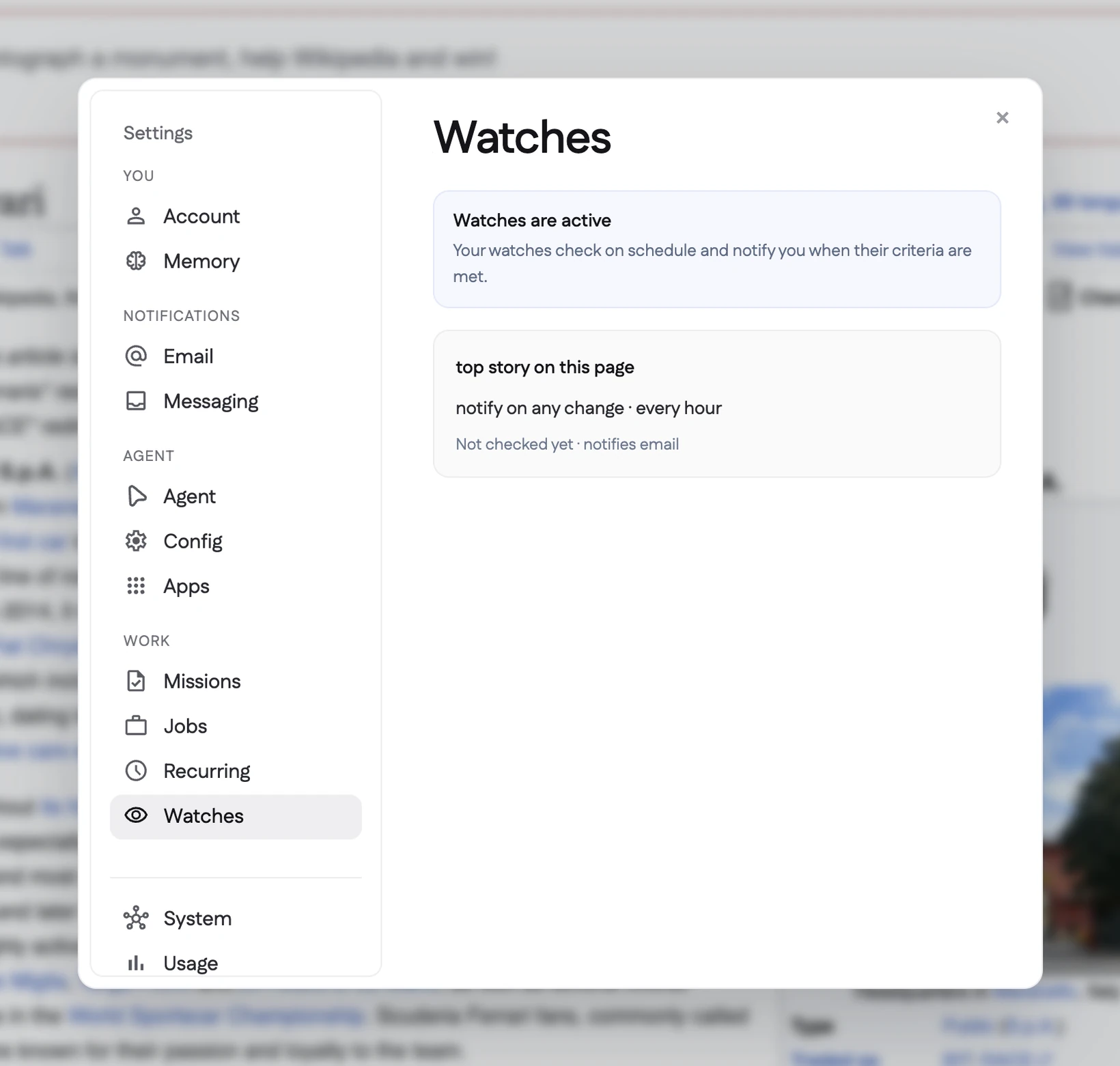
Relay is able to monitor any event, check for a status change or just keep you informed of any event that’s important to you.
You can start, monitor and end missions as well as answer questions Relay might have all from your mobile phone.
Relay works from your computer, with the files and accounts already there. Its memory, mission history, and working data stay on your device, where you can manage them.
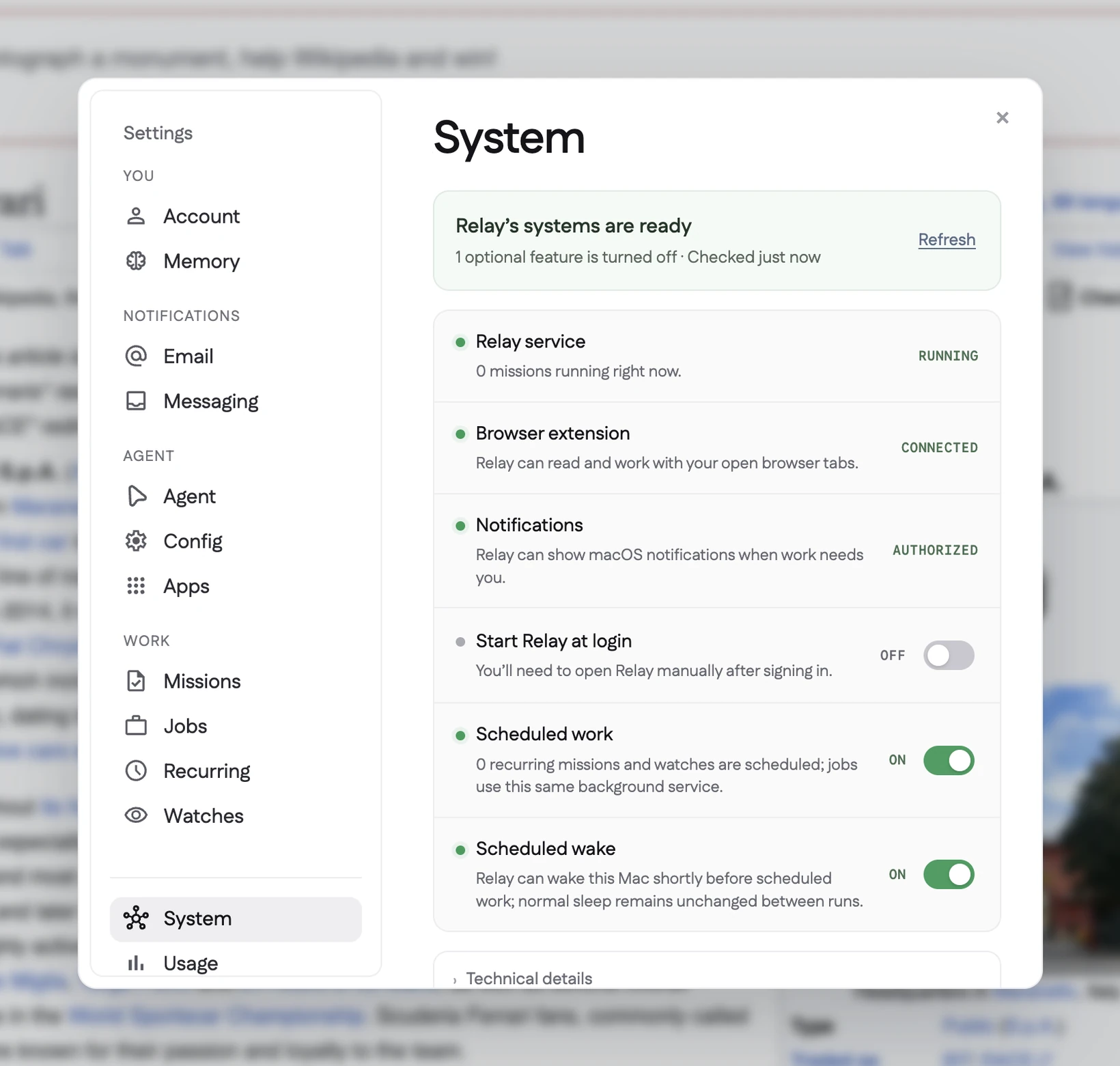
Relay works from your computer, with the files and accounts already there. Its memory, mission history, and working data stay on your device, where you can manage them.
Relay can keep a business process running, apply to suitable jobs, watch a product until it reaches the right price, or check a page until an appointment opens—without asking you to repeat the same work each time.
So you can focus on the interview, the customer, the decision, or simply whatever deserves your attention next.
Relay exists as both an app and browser extension. The app is the engine for Relay and handles all the missions you create and is available on Mac only for now, while the extension is available on any Chrome-like browser.
The app and extension work together to provide you the full Relay experience.
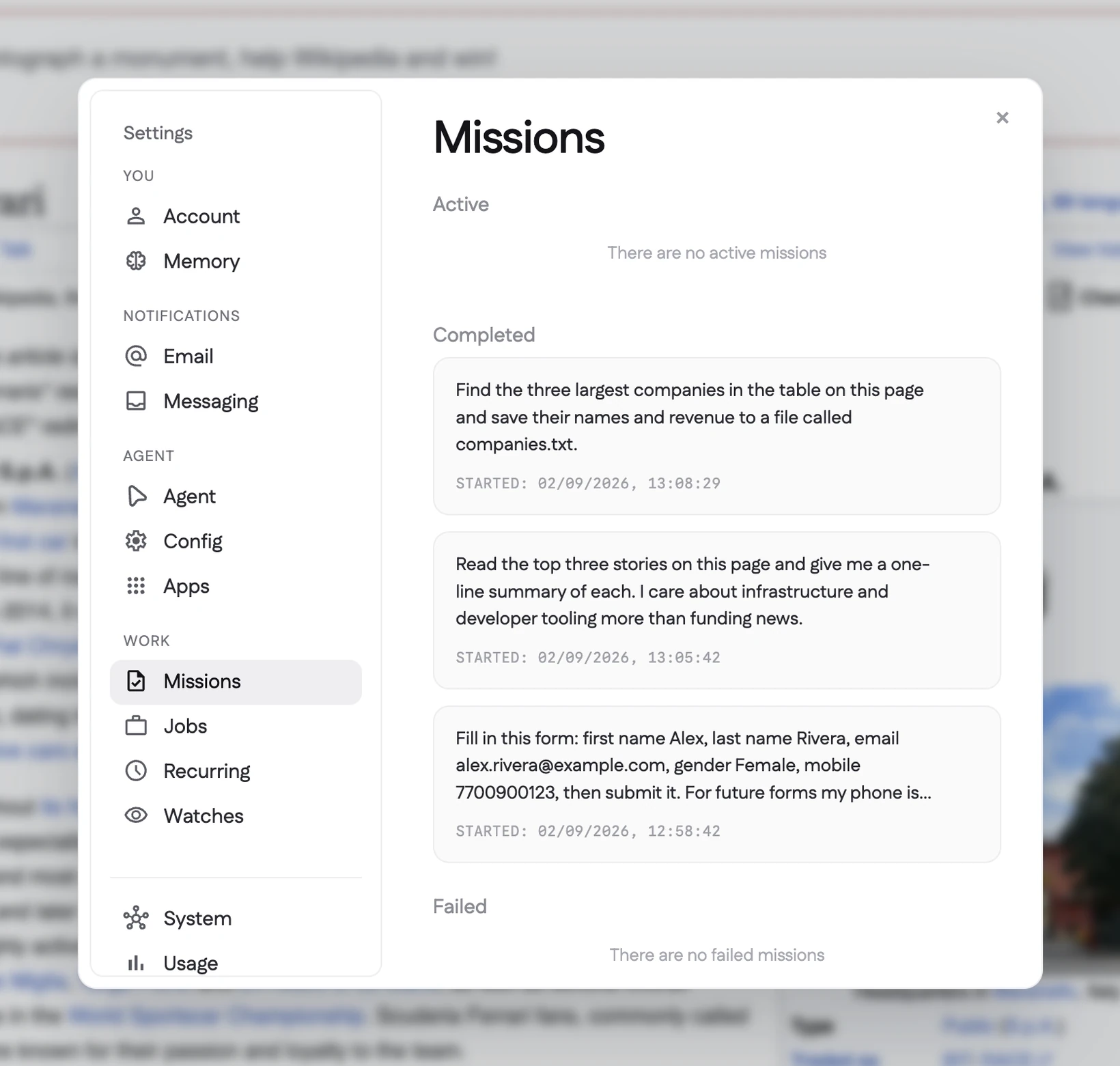
Missions
You could do it yourself. That isn’t the point. The point is that you have already filled in this form, found this information, moved these files, or checked this page before. Relay takes the instruction and gets on with it. It only brings you back in when there is something worth deciding.
Jobs
Not everything fits into a single task. Some work needs to be checked, updated, and carried forward over time. Give Relay the responsibility once, along with the tasks and watches that belong to it, and it keeps the whole thing moving. You come back when there is a decision to make, not every time there is another step.
Memory
The first time Relay does something, it may need your help. After that, it remembers the details: which file you use, what information belongs where, how you prefer things handled, and where it should stop and ask. So the next time the work comes around, there is less to explain.
Watches
Some things matter, but not enough to keep a tab open all day. A role gets posted. A price changes. An appointment opens up. An application moves to the next stage. Relay checks in your place and lets you know when there is actually something to see.
On Call
You do not need to be sitting at the computer where Relay is working. Start a task from your phone, check its progress, pause it, change its priority, add an instruction, or steer it in a different direction. When Relay needs an answer before it can continue, you can respond from whichever device is with you.
Private & Local
Relay works from your computer, with the files and accounts already there. Its memory, task history, and working data stay on your device, where you can see them, manage them, or remove them. You can check what Relay has done, change what it is allowed to do, and stop it whenever you need to. Using Relay does not mean giving up control of your work.
Try Relay—the assistant built to take the repeated work off your plate while keeping you in control. Add your email and it opens in your browser.